
Overview#
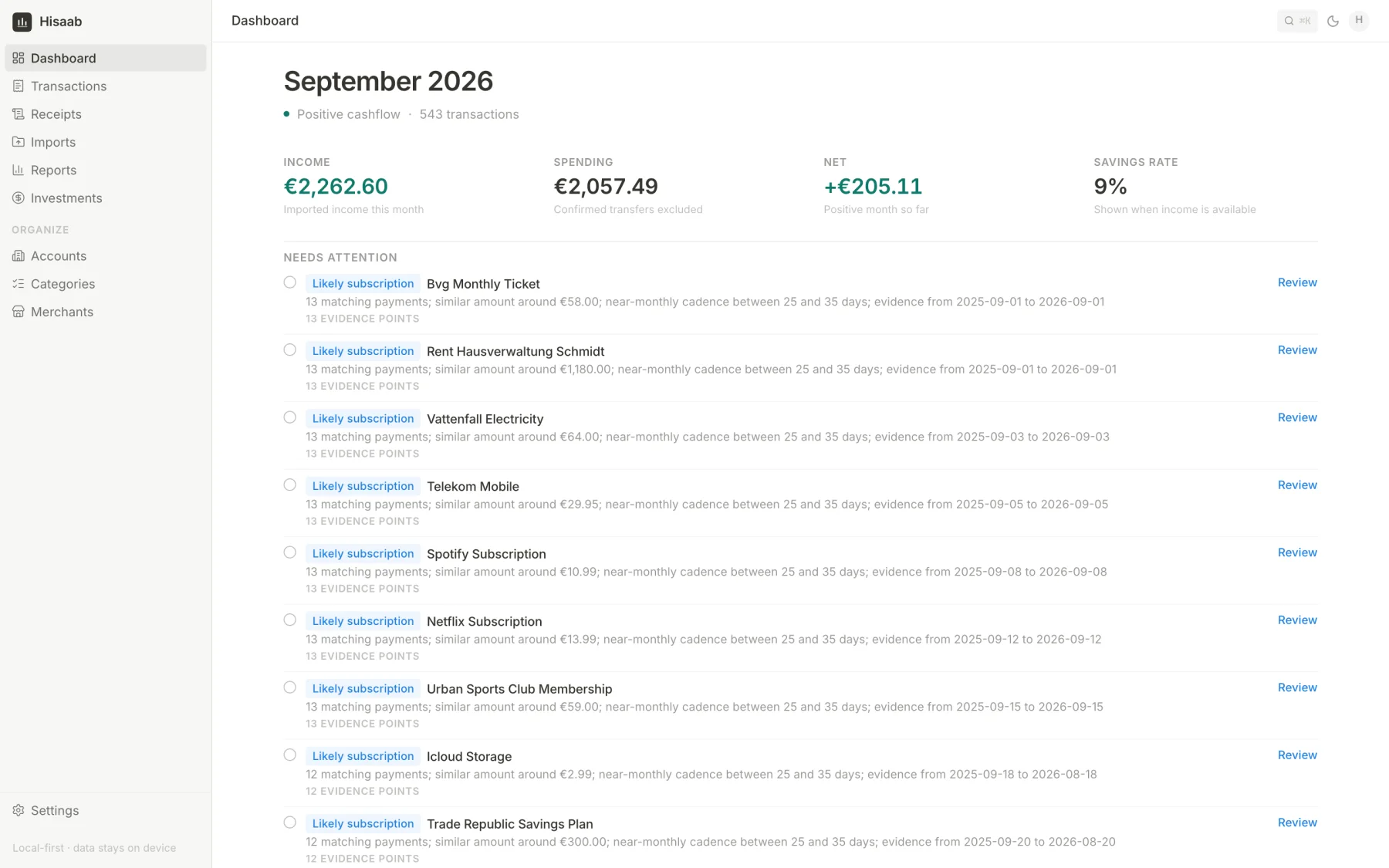
Hisaab is a personal finance app that I run on my own computer. I download statements from my banks and upload the files. Hisaab turns them into transactions, puts them in categories and shows me reports. It also has a small investment tracker and it can read receipts.
Hisaab is the Hindi word for “accounts”. I built it with Claude and Codex. I made the product and design decisions.
The problem#
I wanted to know where my money goes. I did not want to give another company access to my bank account to find out. The apps I tried either just showed my statement again, or needed too much manual work to keep up to date.
I also have more than one account. A German bank account, Revolut and PayPal. Each one gives a different file, with different columns, date formats and number formats.
How I decided to build it#
- Files, not bank connections. I export the statement myself and upload it. No third party gets access to my bank.
- Rules, not AI, for categories. When a payment goes into a category I can see why, and I can change it.
- Preview before saving. Nothing is saved until I have checked it.
- Every number can be traced back to the line in the file it came from.
Importing a statement#
This is the main part of the app. When I upload a file, this happens:
- Hisaab checks if I have uploaded this exact file before. If yes, it refuses it.
- It works out which bank the file is from, using the file name and the column headers.
- It cleans every row and fits it into one schema that I set up for all banks. German dates like
17.09.2026become normal dates. Amounts like-47,36are stored in cents, so there are no rounding problems. - It checks each row against what is already in the database and marks duplicates.
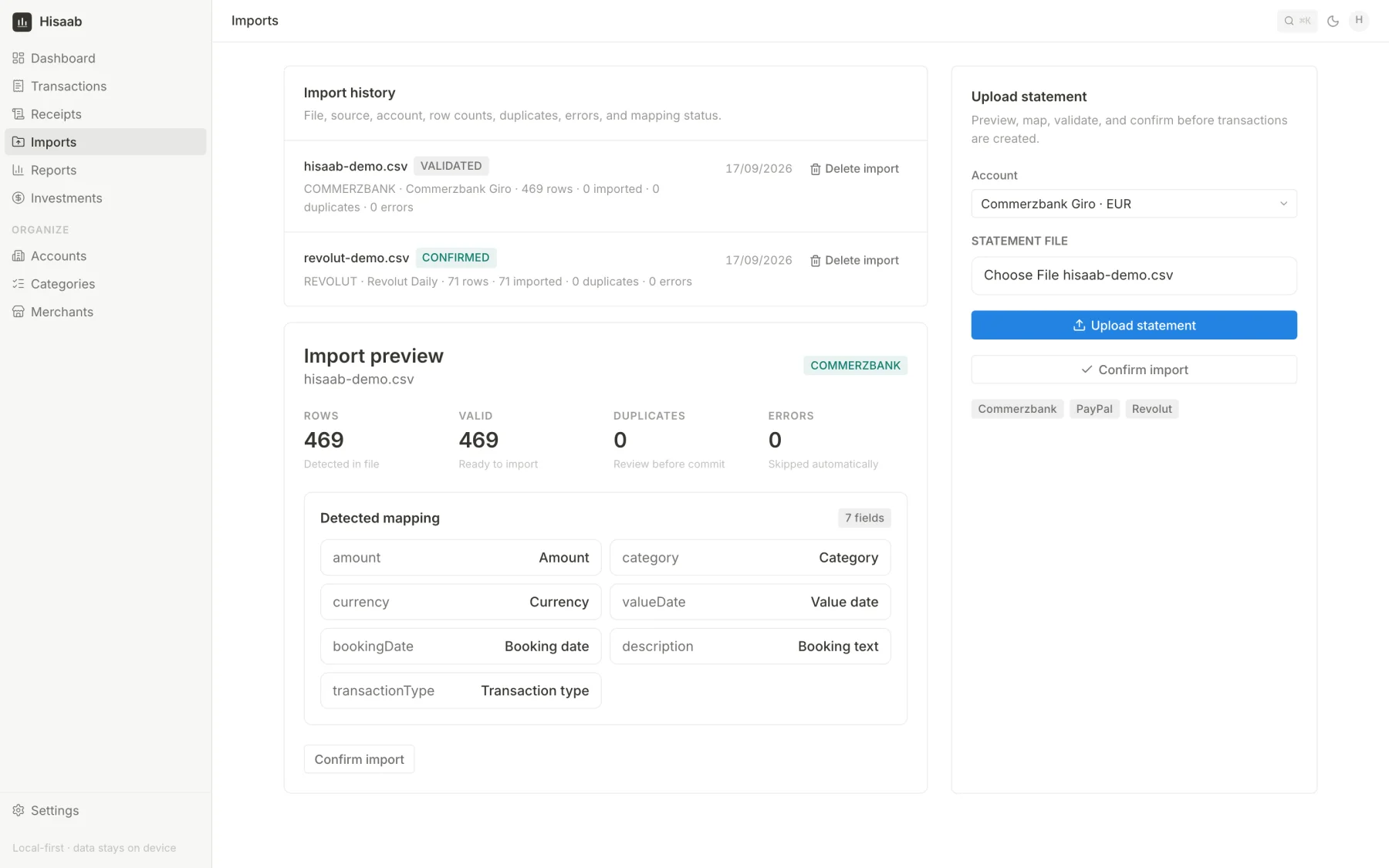
- It shows me a preview with rows found, valid rows, duplicates and errors.
- When I confirm, the transactions are created. Each one stays linked to the original row from the file.
One schema for every bank
Every bank gives a different file, so I set up one schema that all of them are converted into. Each row of the file is first saved as it is. Then a cleaned transaction is created from it with the same fields for every bank: account, date, amount in cents, currency, direction (money in or out), type, the original description, the cleaned merchant name, the category and how that category was chosen. Each transaction also gets a fingerprint, and that is what the duplicate check uses.
Because every bank ends up in the same fields, the reports, rules and search work across all my accounts at once.
The duplicate check is useful because statement exports overlap. In the example below I uploaded a September file after the full-year file. Hisaab found 28 rows. 24 were already there, 1 could not be read, and 3 were new.
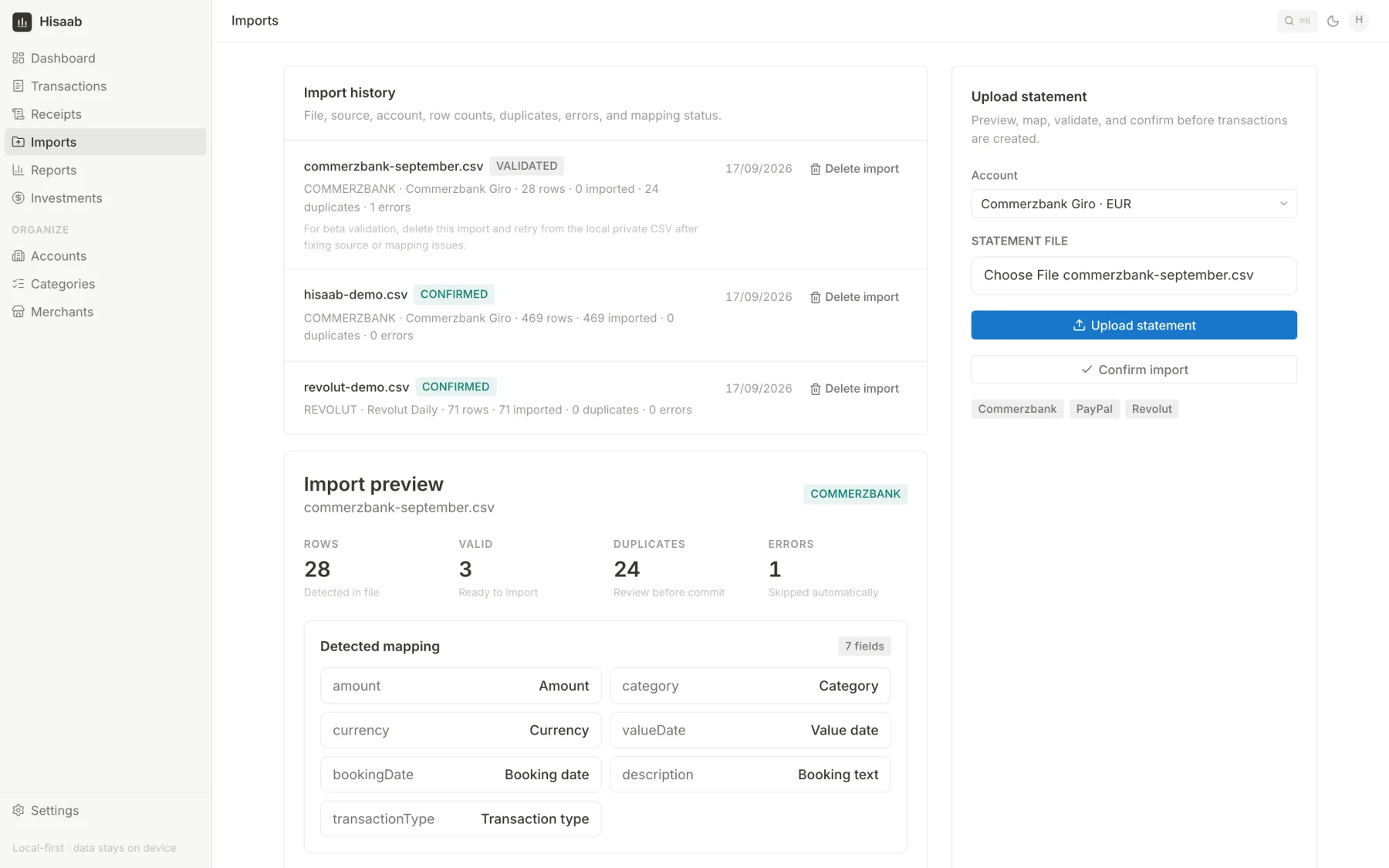
Right now it reads files from Commerzbank, Revolut and PayPal, in CSV or Excel. I can delete any import later and the transactions it created are removed too.
Looking at transactions#
After import, all accounts show up in one table. I can search it and filter by account, category, merchant, date and amount.
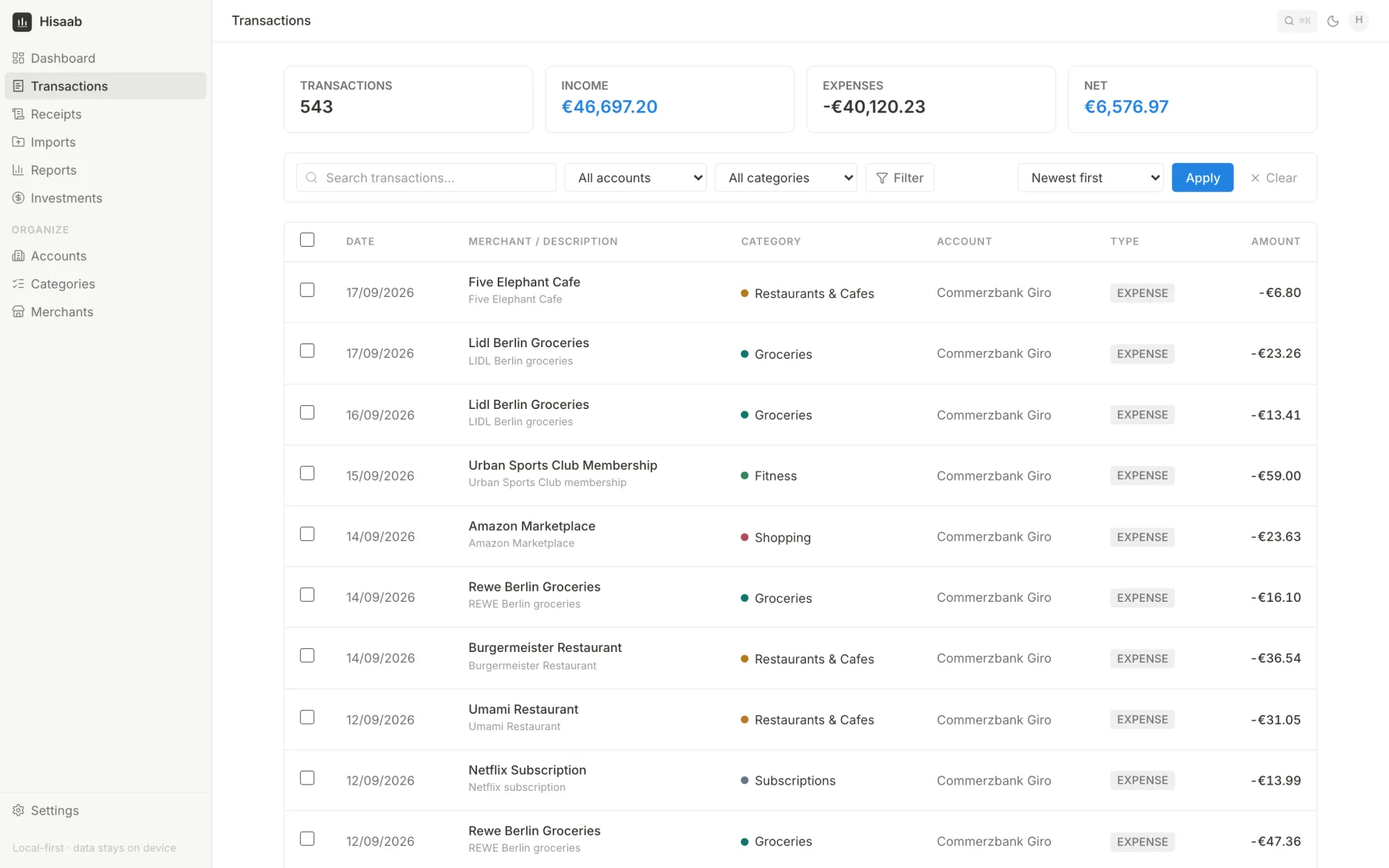
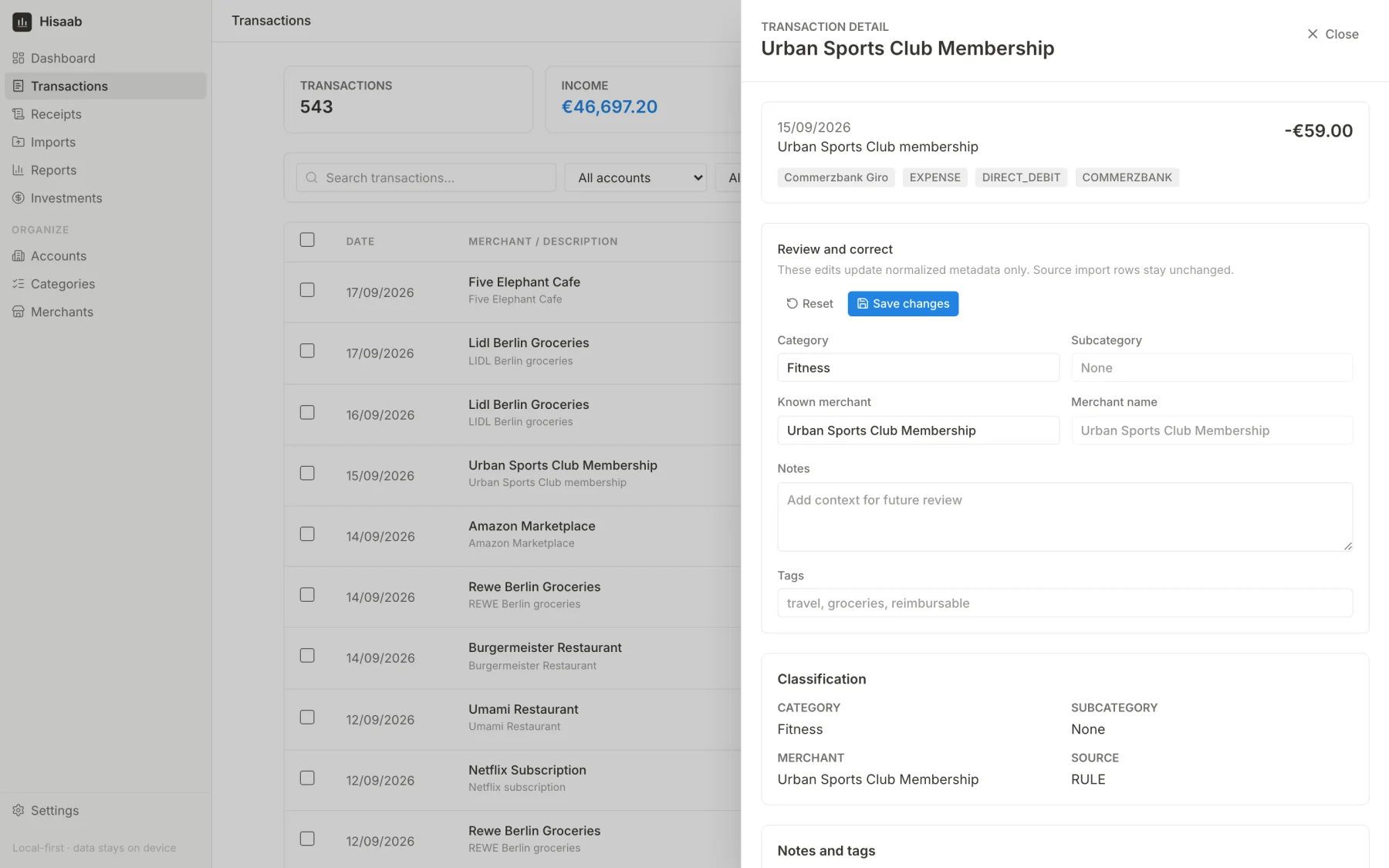
When I open a transaction I can see what the bank sent, what Hisaab made of it and how the category was chosen. If I edit something, only the cleaned version changes. The original row from the bank is never changed.
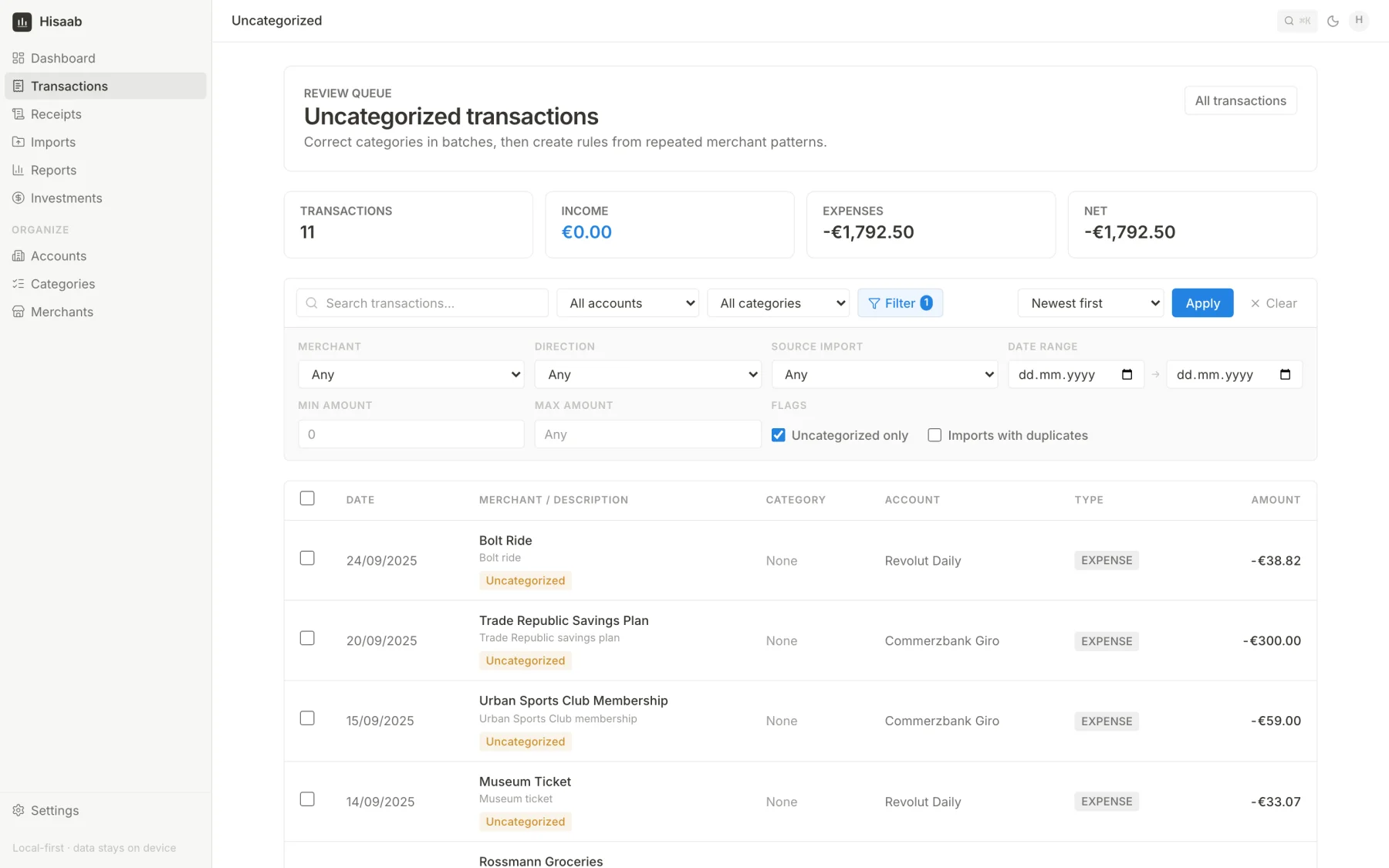
If Hisaab cannot decide a category, it does not guess. The transaction goes into a review list. I can select many rows, give them a category and save that as a rule for next time.
How categories are chosen#
There are three steps, and the first one that matches wins:
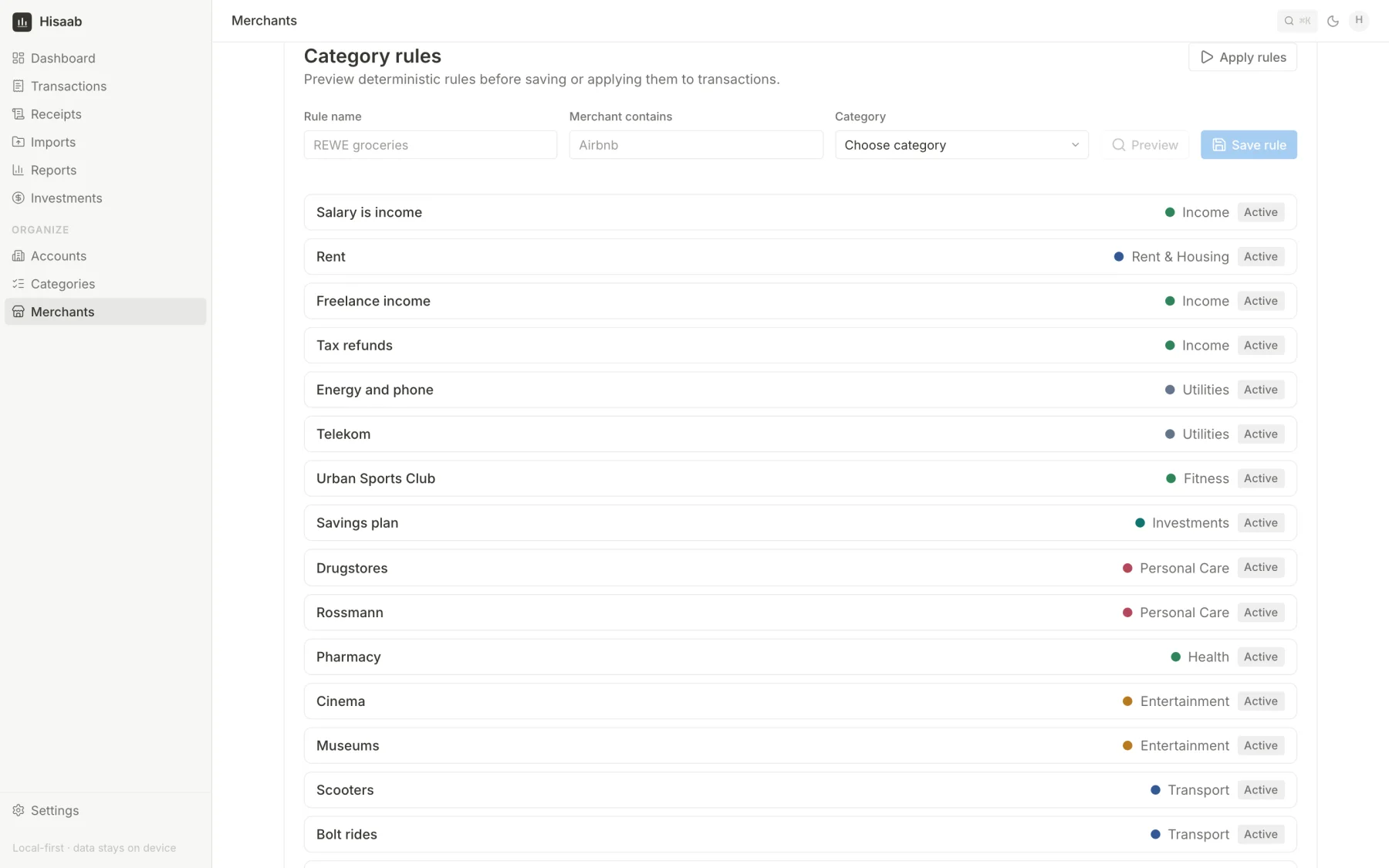
- My rules. For example “merchant contains Urban Sports”. A rule can also be limited to one account or an amount range.
- Merchant defaults. A merchant can have a default category and several names, so
REWE SAGT DANKE 4021andRewe Berlincount as the same shop. - Built-in hints for well-known names like supermarkets and streaming services.
Before I save a rule I can test it on my real transactions to see what it would catch. Every transaction records which step chose its category.
Reports#
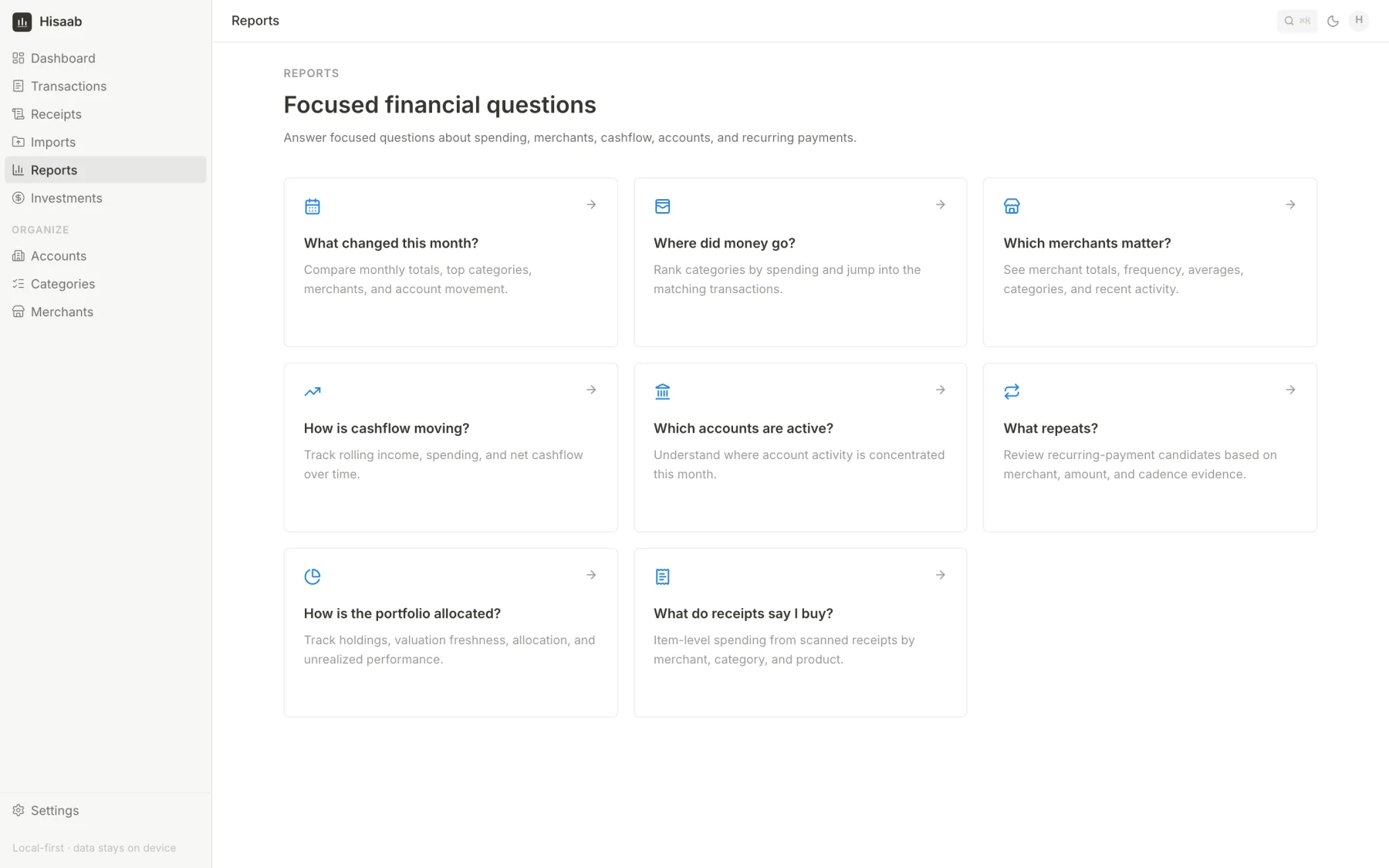
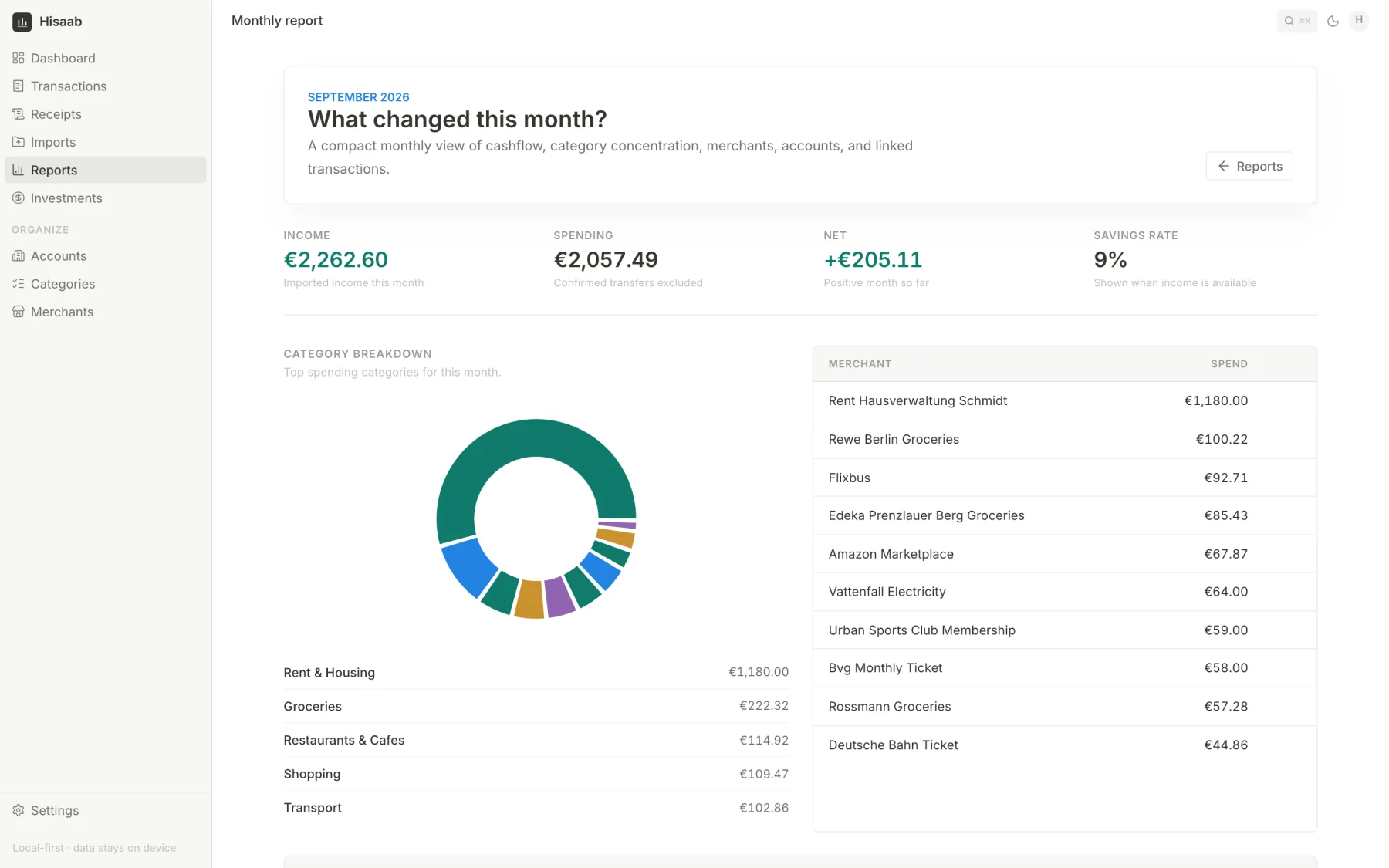
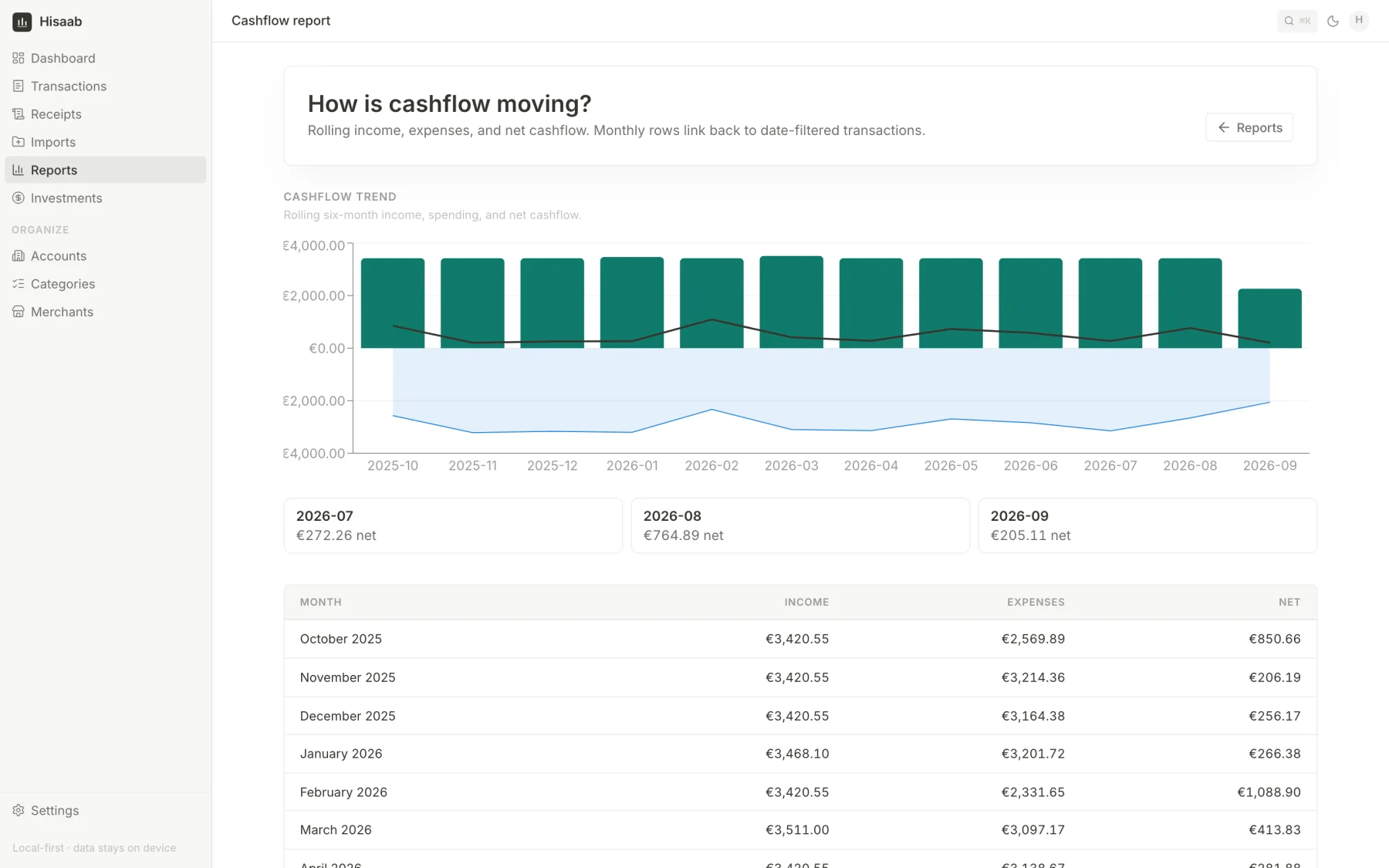
I did not want a page full of charts. Each report answers one question, and every number links to the transactions behind it.
Finding subscriptions#
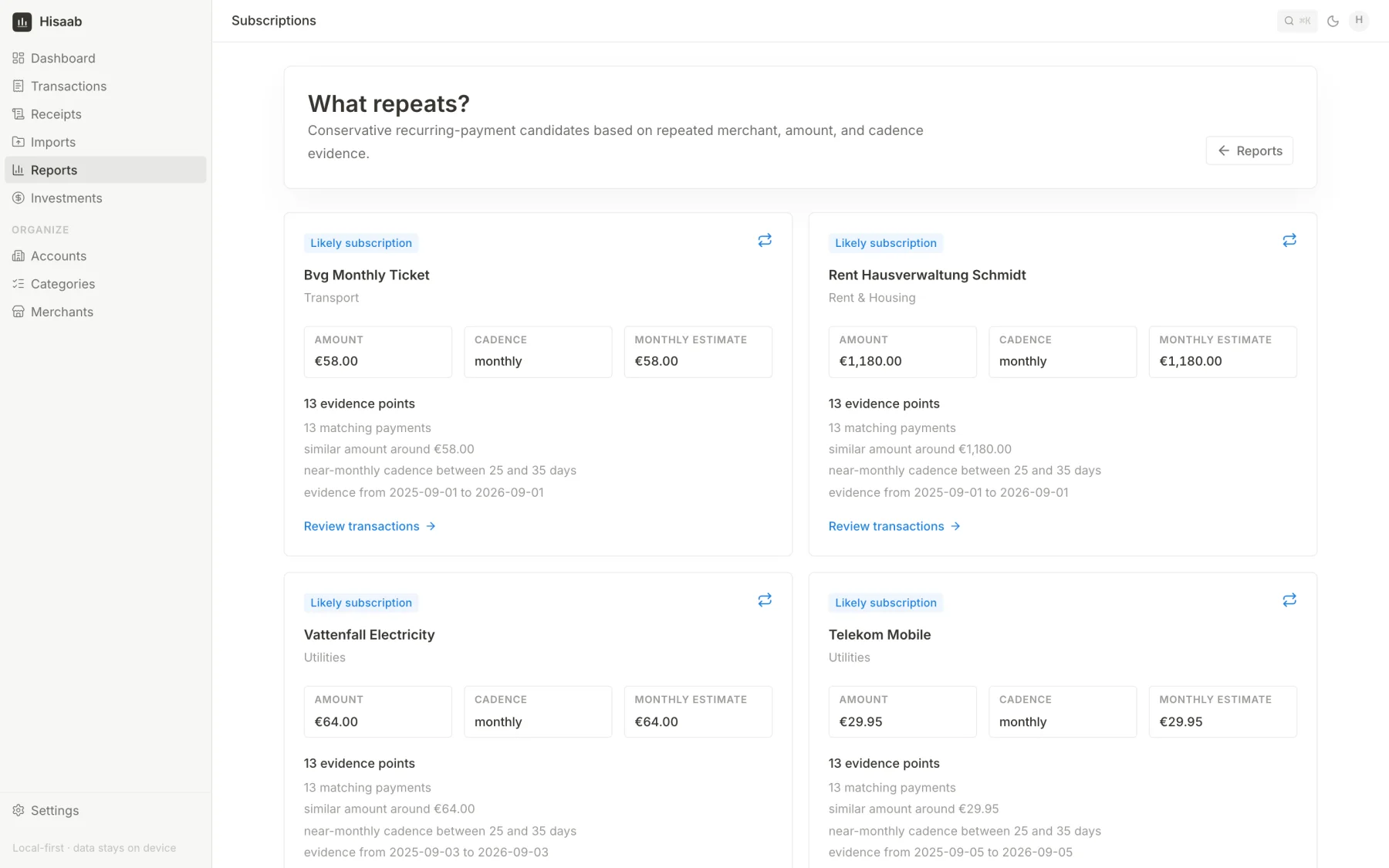
Subscriptions are easy to forget. Hisaab groups payments by merchant and marks a group as recurring only if all of this is true:
- there are at least three payments
- they are in the same currency
- the amounts are within 10% of the average, or within €5
- there are 25 to 35 days between payments
It shows the evidence for each one, so I can decide if it is right. With these checks it also counts my rent as a subscription.
Receipts#
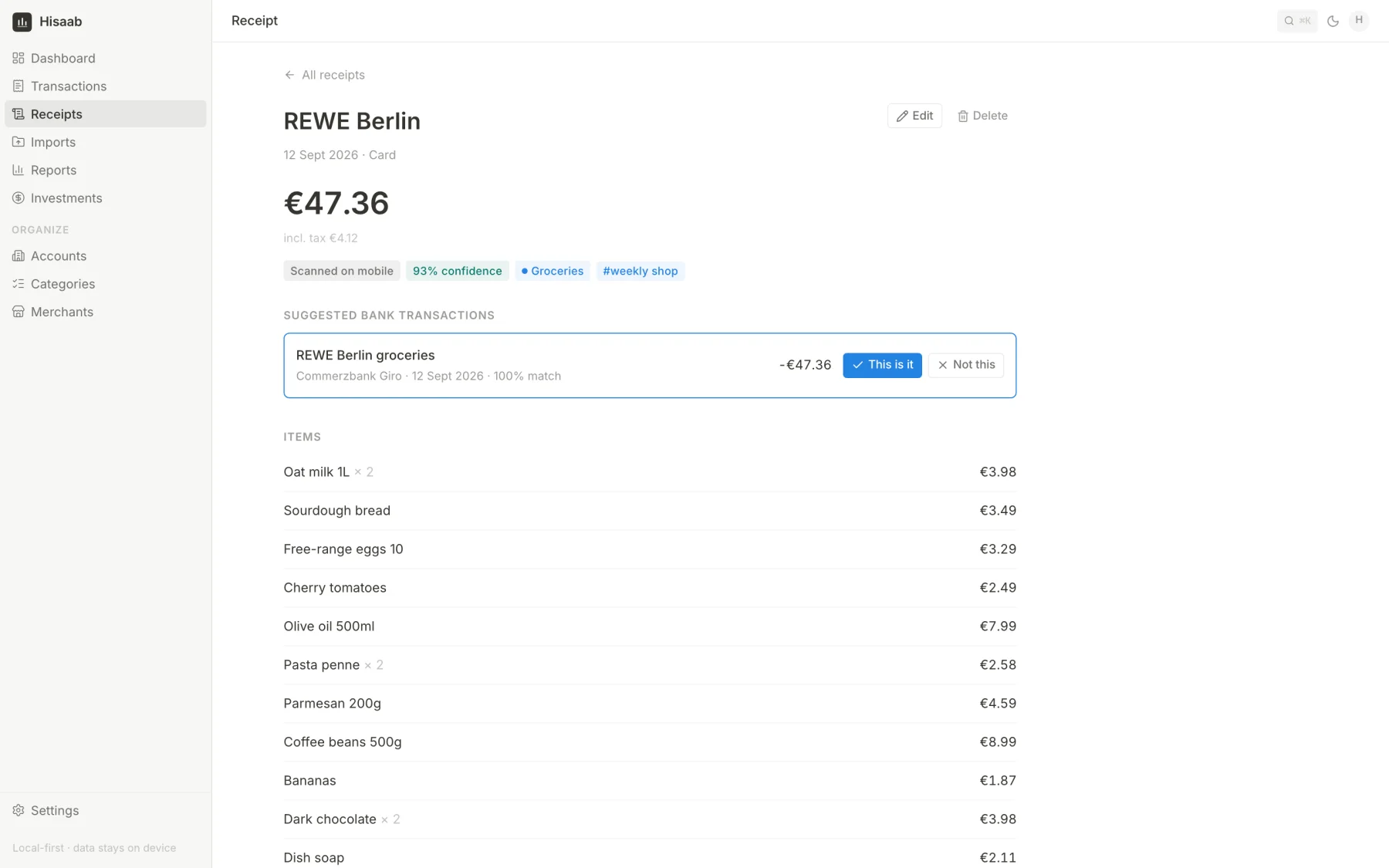
A bank statement tells me I spent €47.36 at a supermarket. It does not tell me what I bought. For this, Hisaab can read a photo of a receipt.
This is the only place where an AI model is used, because rules cannot read a receipt. The photo goes to Google's Gemini model and comes back as merchant, date, total, tax and line items. The photo is not stored. I check the result before it is saved.
Hisaab then suggests which bank transaction the receipt belongs to. It looks for a payment within four days and within 2% of the total, and also compares the merchant names. I confirm or reject the suggestion. It never links anything by itself.
Investments#
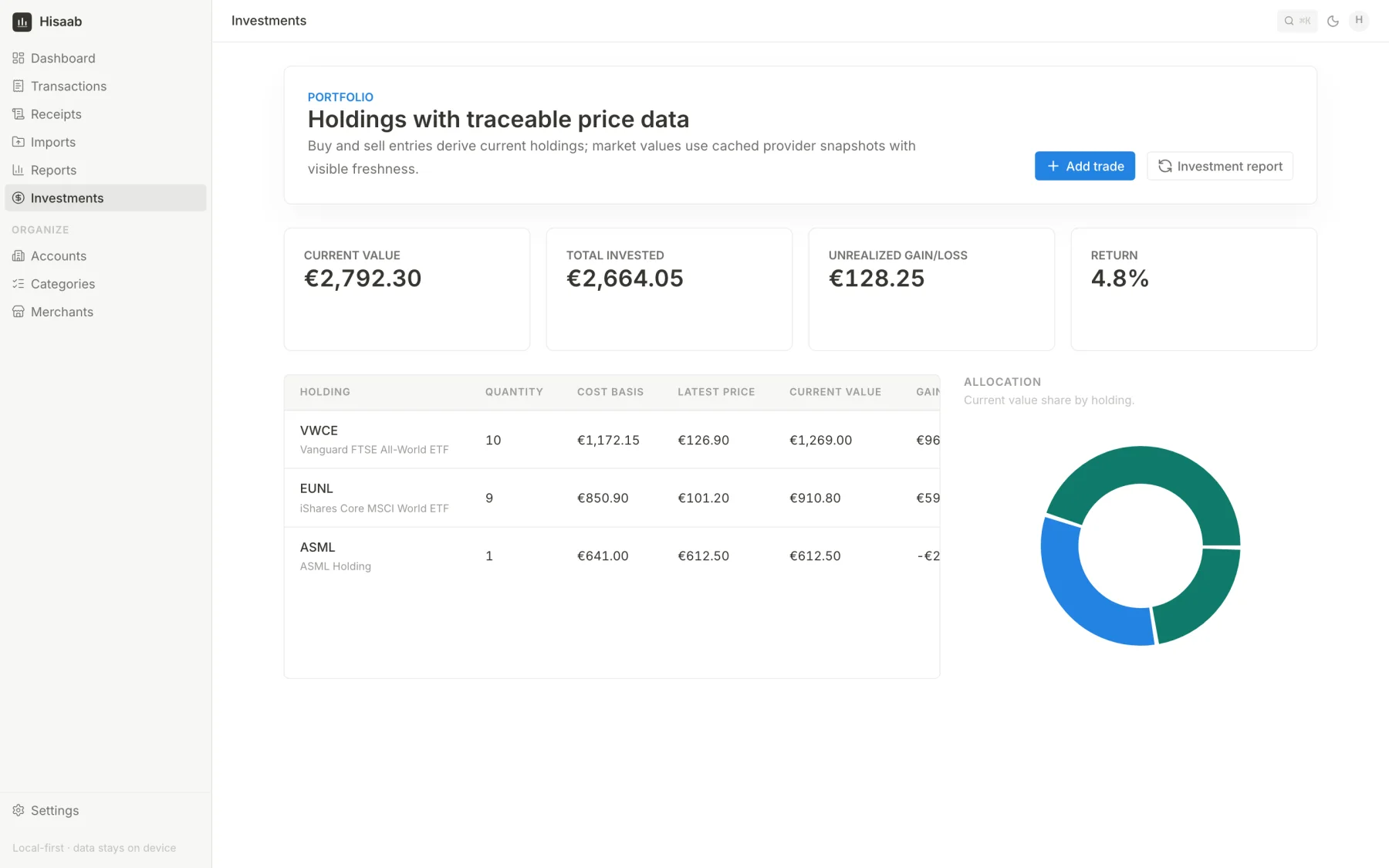
This is a small portfolio tracker. I enter my trades, and Hisaab works out my holdings, their value, the gain and the split between them.
Prices can come from a service called Alpha Vantage. In that case only the ticker symbol is sent out. I can also type a price in by hand. Every price shows how old it is.
Privacy#
- It runs on my own machine, in Docker. There is no hosted version and no analytics.
- Passwords are hashed. Only a masked account number is stored, never the full one.
- Raw bank rows are kept out of log files.
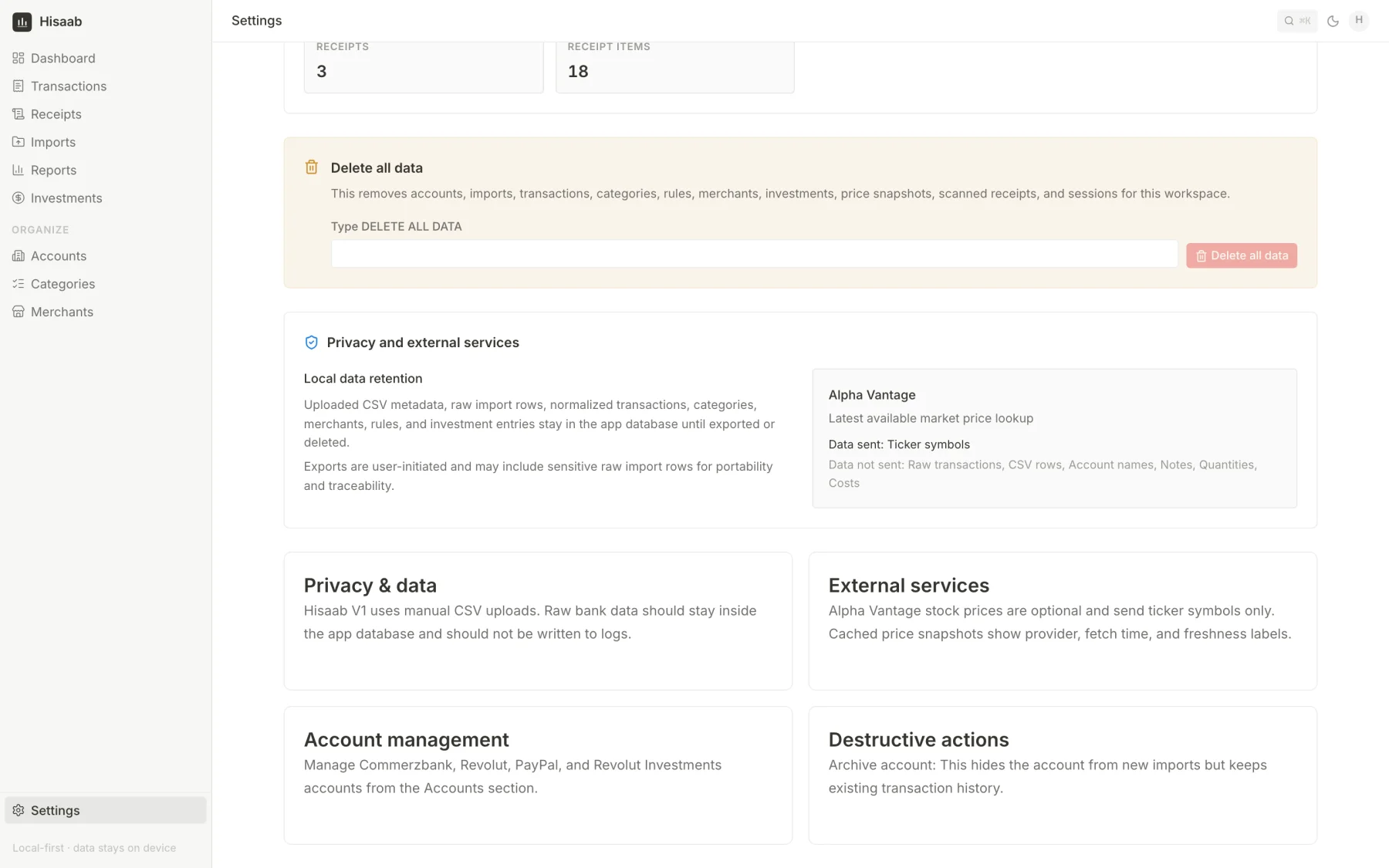
- In settings I can export everything, delete a single import, or delete everything.
- The settings page lists what each outside service receives and what it does not.
How it is built#
It is a Next.js web app with a PostgreSQL database. The database keeps the raw data and the cleaned data in separate tables. The raw rows from the bank are never changed. Transactions, merchants, categories and rules sit on top of them.
I picked PostgreSQL with strict constraints because imports, duplicates and deletes must stay correct. The parts that must not be wrong, like the money parser, the duplicate check, the rule matcher and the subscription check, are small functions that are tested on their own. There are 143 test cases, and they run on every push together with a type check and a build.
The test files in the repository are made up. My real statements are never committed.
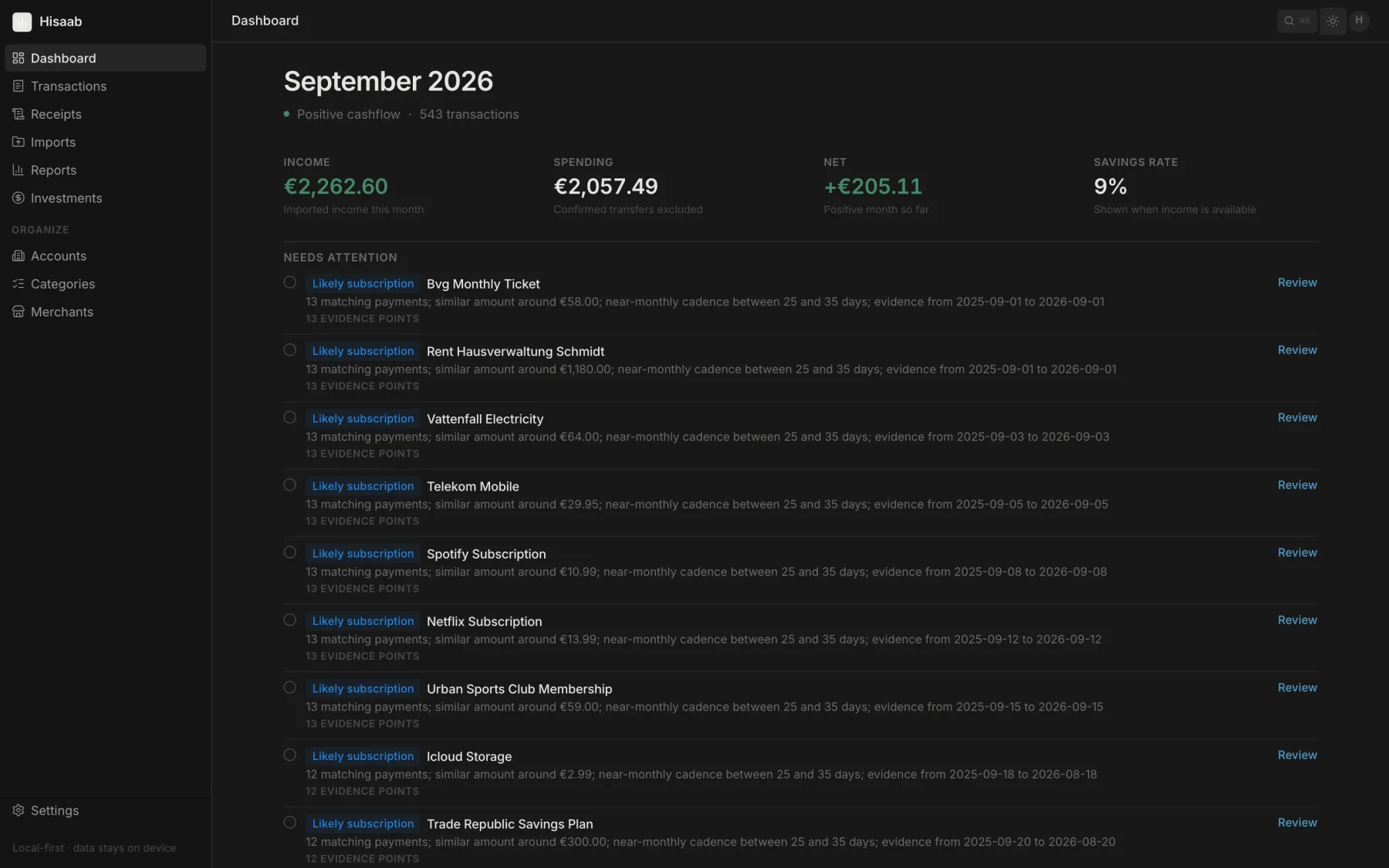
All the numbers in these screenshots are made up. I created a fake year of statements for a fake person and imported them into a test database. My own data is not shown anywhere.