Overview#
Dictated is a Mac app that sits in the menu bar. I hold a key, speak, and the text appears where I am typing. It also records my calls and writes the meeting notes. Every model runs on the laptop, so nothing is sent to the cloud. I built it with Claude and Codex.
It replaces Echo, my first version of this app.
The problem#
I used Granola for meeting notes and Wispr Flow for dictation. On my MacBook Air with 16 GB RAM, the two together made the Mac so hot during calls that screen sharing stopped. Both also send my data to their cloud. So I built Echo, one app that does both on the Mac.
Echo's speech models were good, but the app around them was not reliable. I measured two weeks of my own use. Only 63.6% of 535 key presses put text where I was typing. The first dictation after launch took 13 to 16 seconds. It learned only 2 words from my corrections. I stopped using it three times and went back to Wispr Flow.
Starting again#
So I started a new app. First I wrote a plan. It compares Echo and Wispr Flow step by step, from noticing a call to pasting the text, and says which one does each step better.
Then I built Dictated from that plan. I kept the parts of Echo that worked, with their tests: the speech model, the text rules and the voice matching. The parts between them were written again. The order I wanted was: works every time, then fast, then learns.
- Every press gets a result. Each key press and each meeting is saved with what happened and why. Nothing fails without a reason I can see.
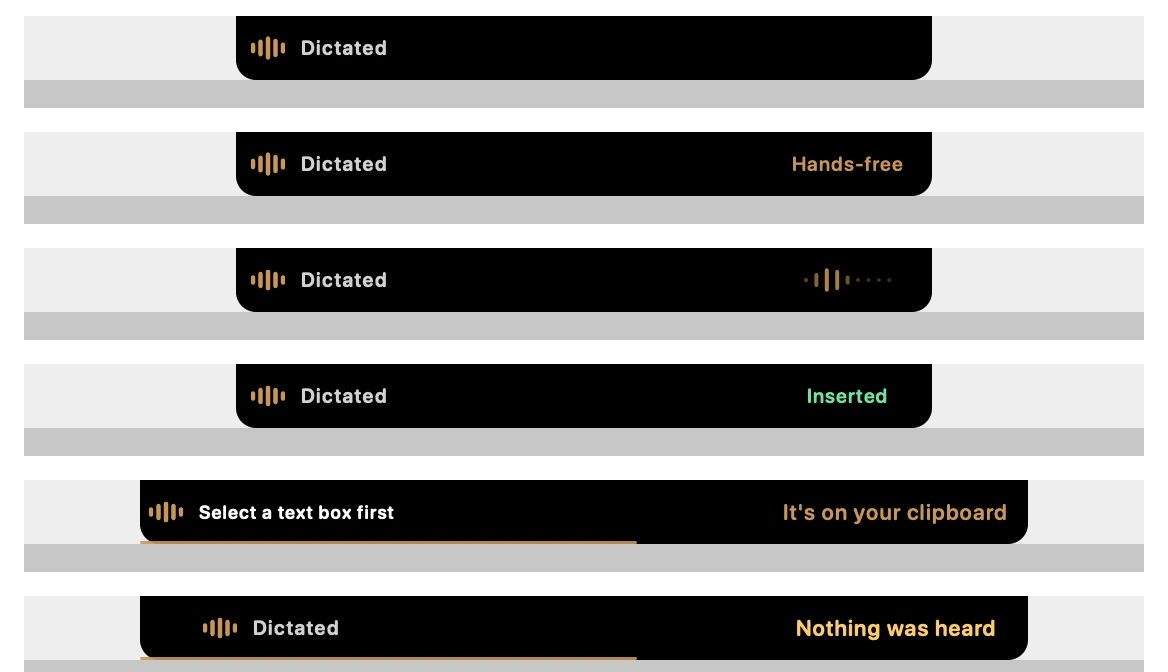
- It never pastes blind. If there is no text box, the text goes to the clipboard and the bar tells me.
- No cloud at all. Echo sent Hinglish to a cloud service. Dictated does that on the Mac too.
- A test app and a real app. The test version has its own name, data folder and keys, so testing never touches my real data.
Dictation#
I hold a key anywhere on the Mac, speak and let go. A double tap keeps it listening until I tap again. I can set up to four keys. A small black bar grows out of the notch while it listens, and it says what happened to the text.
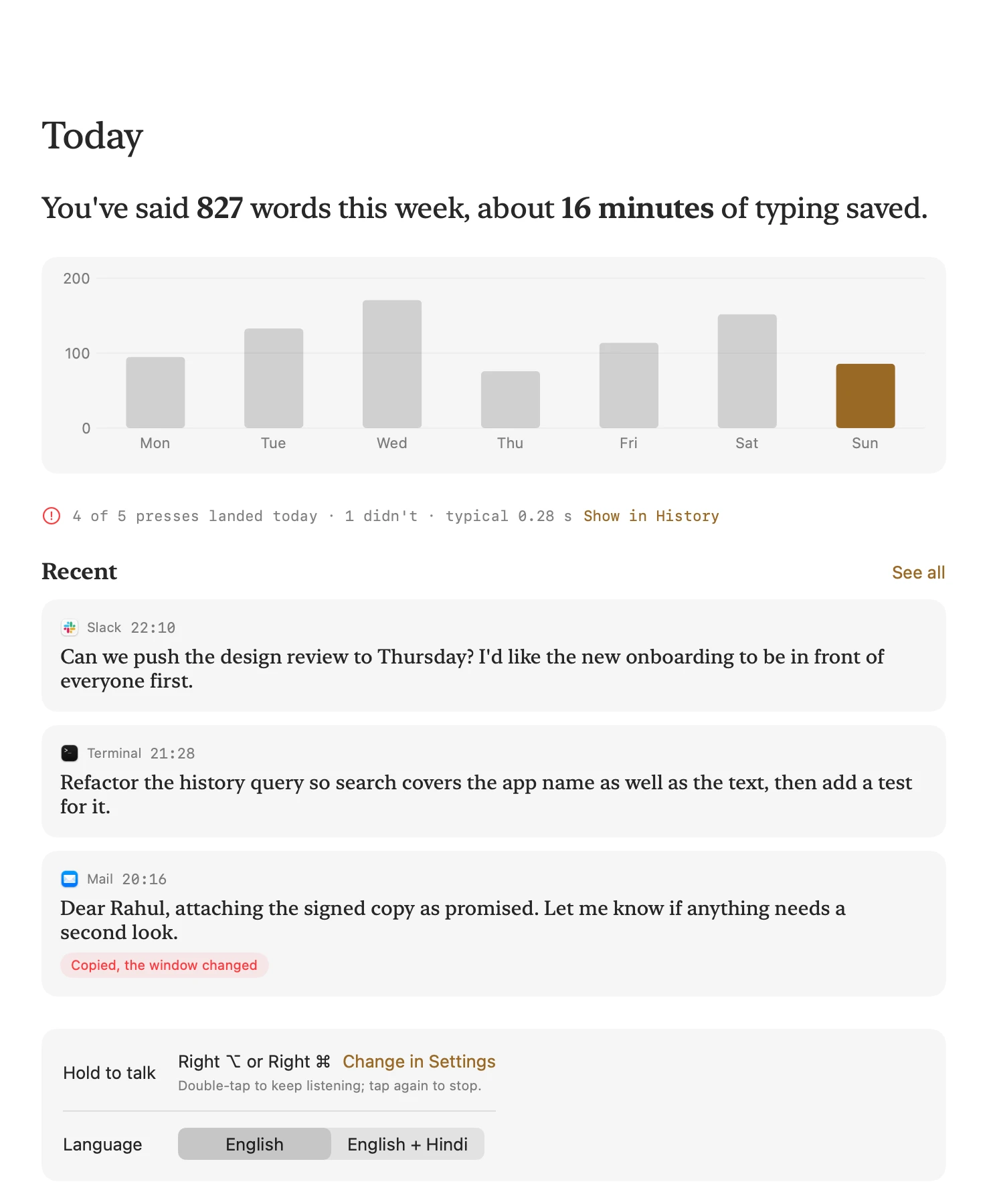
The Today screen shows how much I dictated this week and how many presses worked.
Clean-up for each app
Rules fix numbers, lists, punctuation and when I correct myself mid-sentence. After that a small language model on the Mac tidies the text. Each app can have its own level: off, light or polished. A terminal command is never changed.
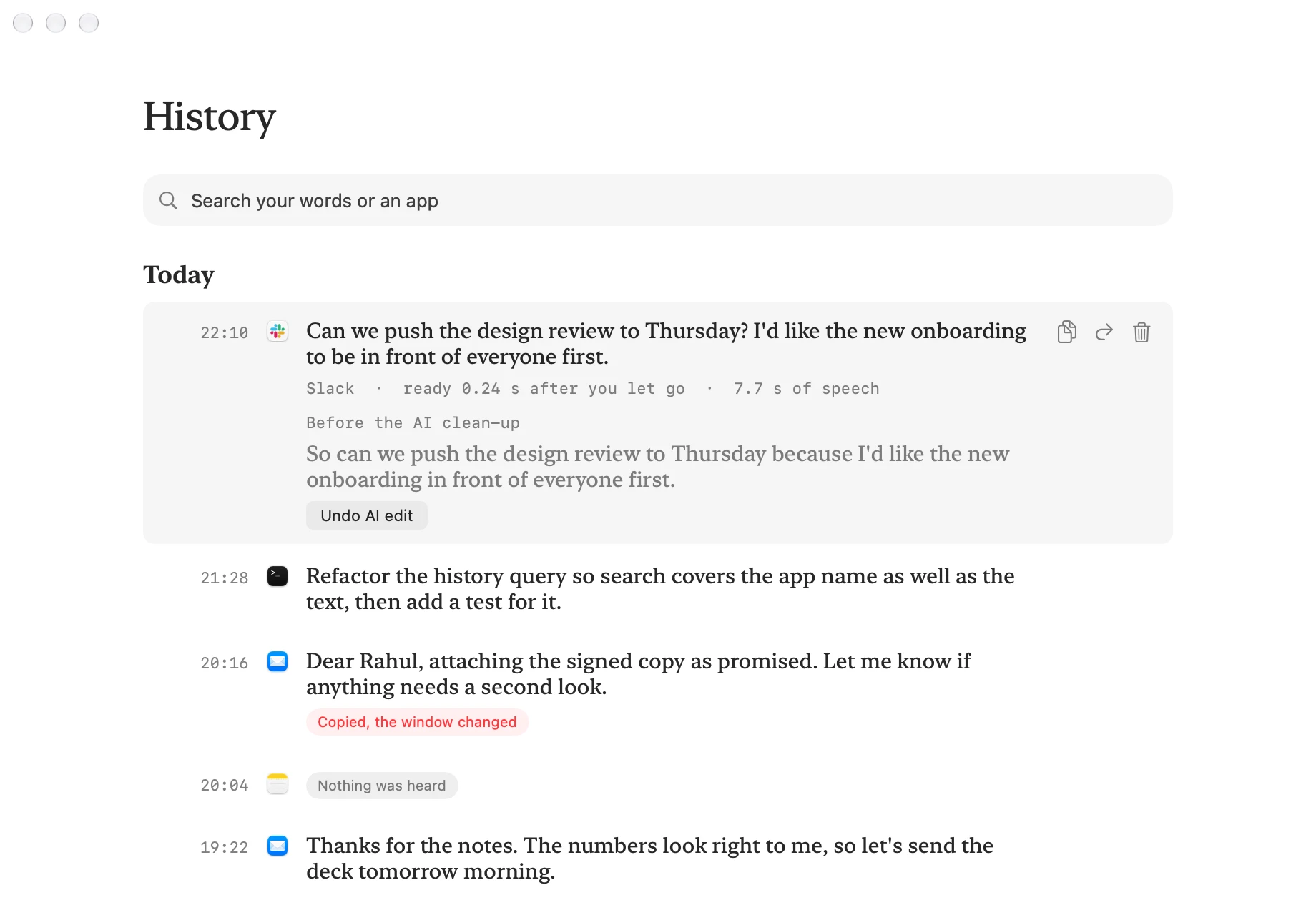
History shows my words next to what the model made of them. If the model got it wrong, one click undoes its edit and pastes my own words.
Words it learns
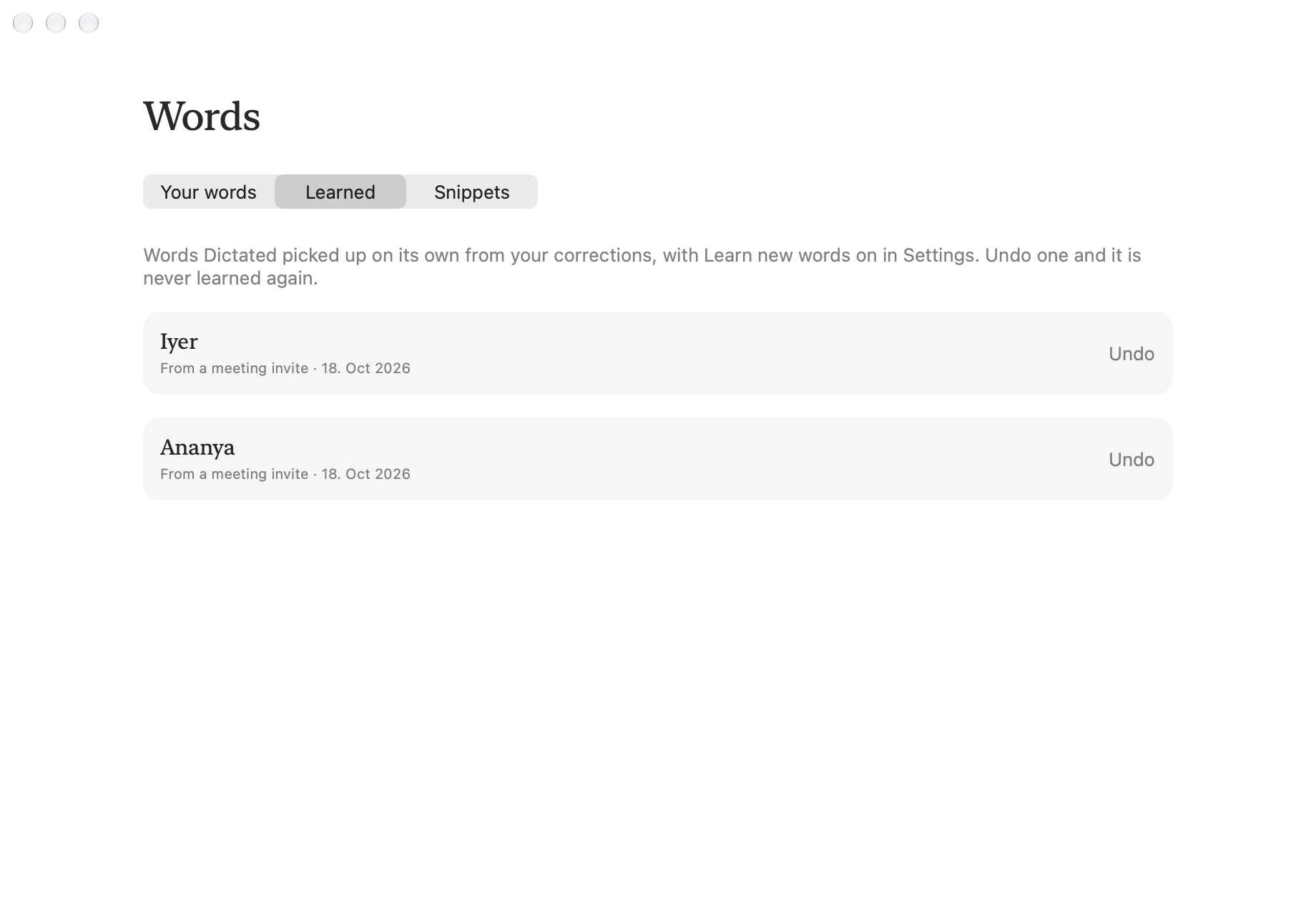
Speech to text gets names and work terms wrong. Dictated has a dictionary and text snippets. It also watches what I do right after a paste. When I fix a word it heard wrong, it learns the right spelling and shows me so I can undo it. It also learns names from my calendar and meeting invites.
Meetings#
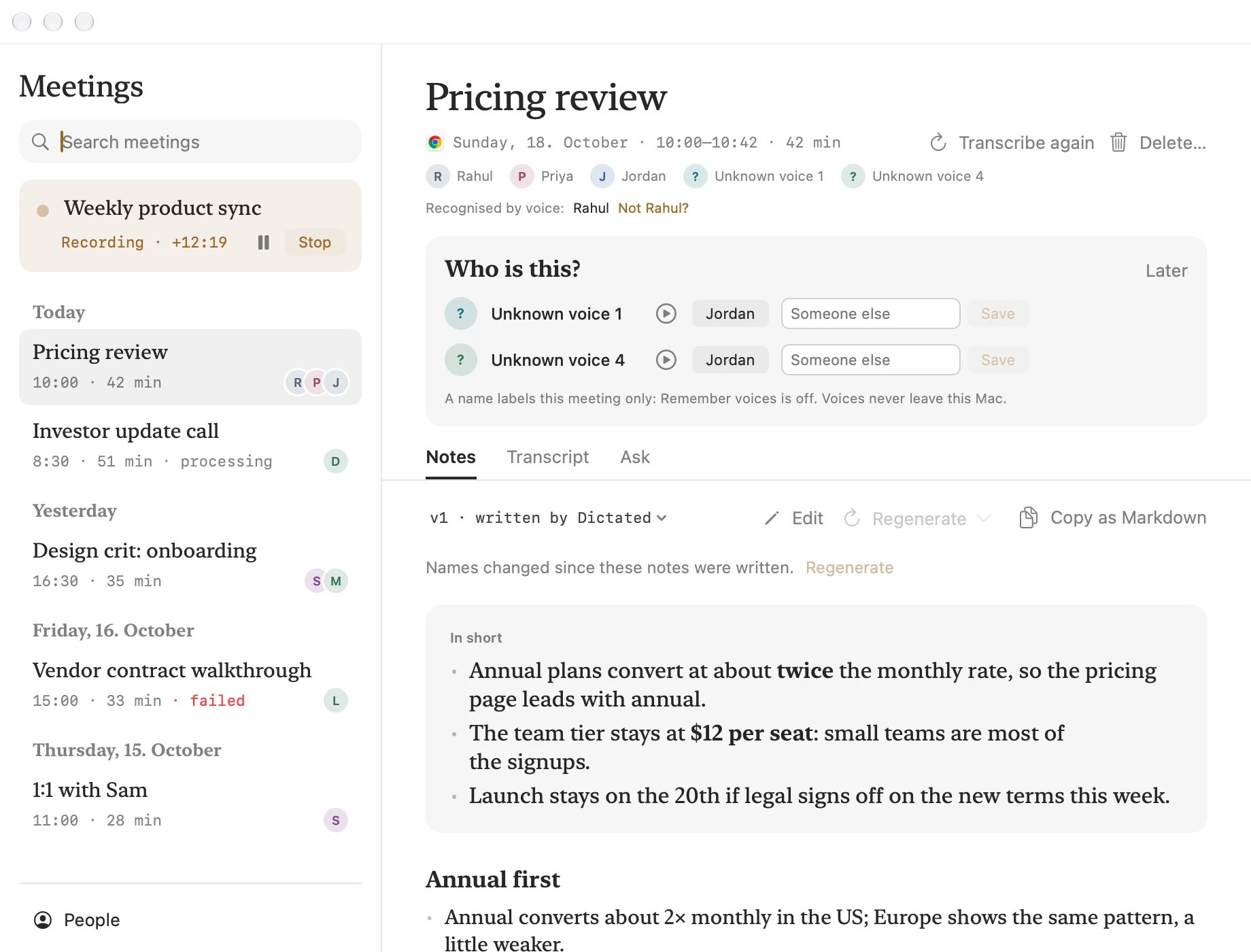
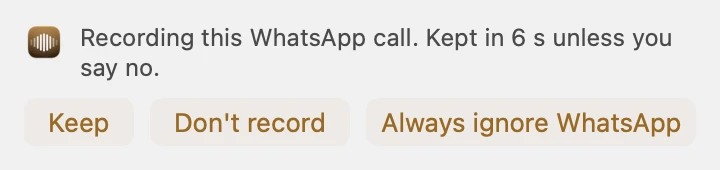
When a call app like Zoom, Meet, Teams, Slack or WhatsApp starts using the microphone, Dictated starts recording right away. A small card asks if I want to keep it. I can also tell it to always ignore an app.
It records my microphone and the computer audio as two tracks. The live transcript is saved while the call is running. After the call it transcribes again for a cleaner version.
Who said what
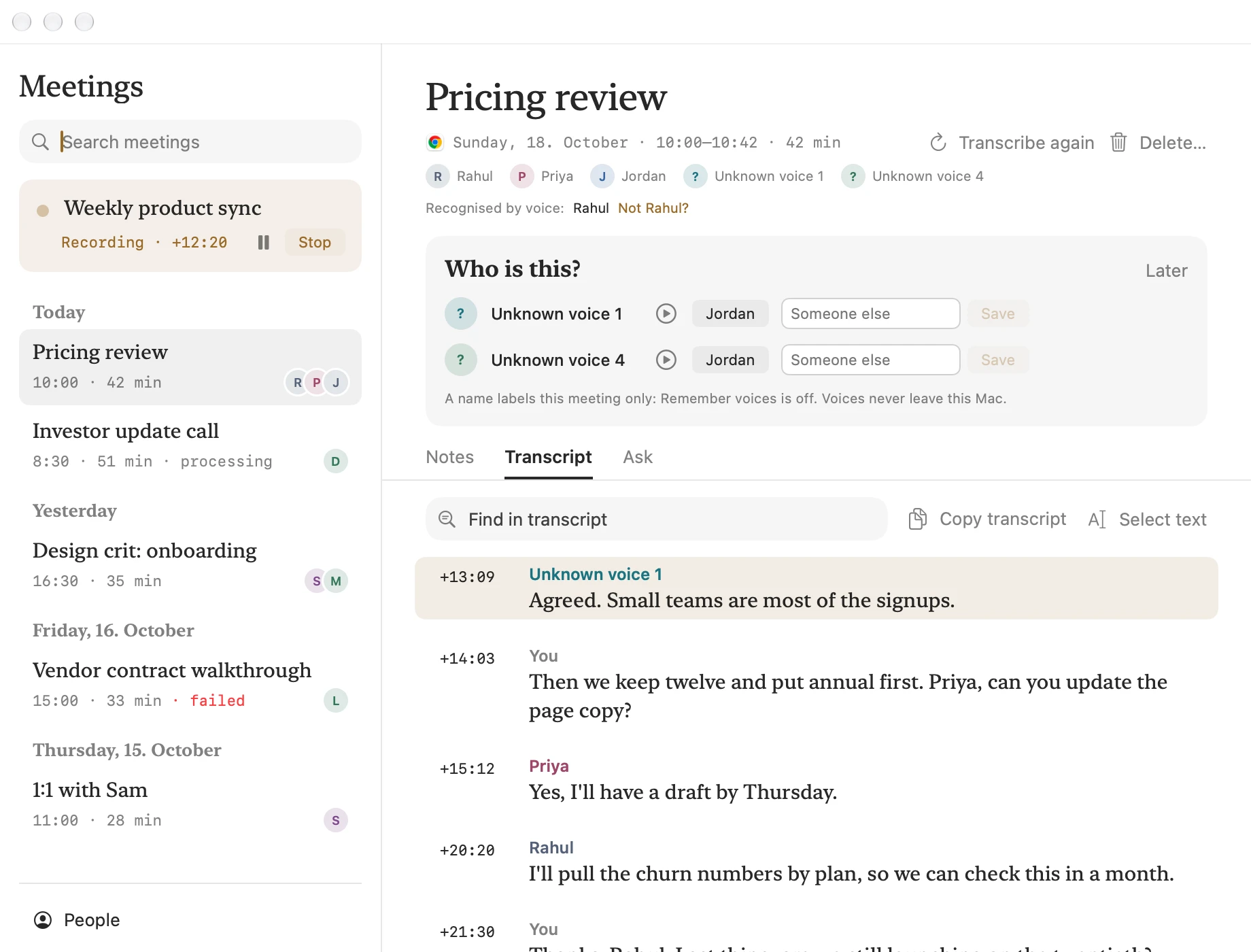
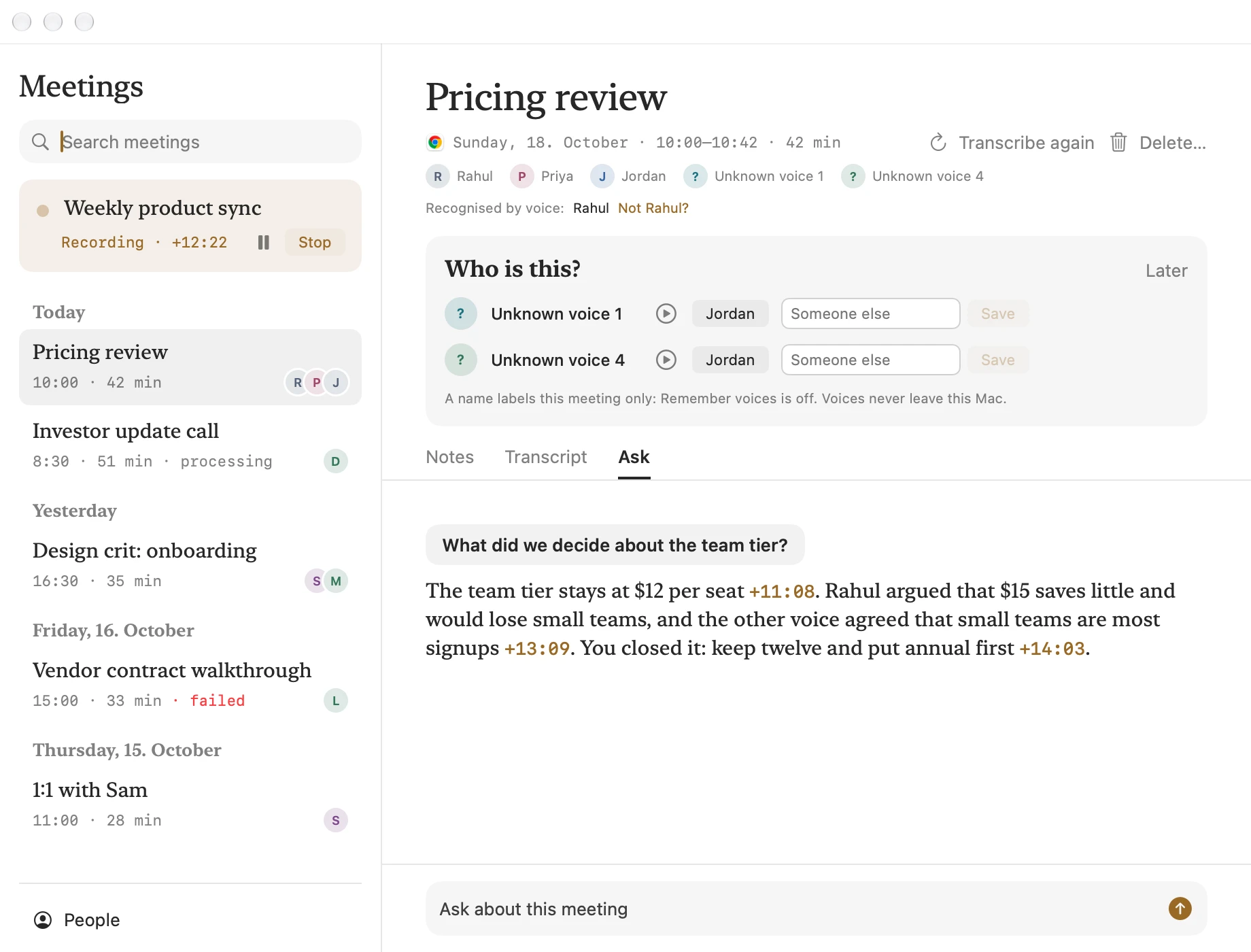
It separates the voices and matches them with voices it already knows. In Google Meet it can read the names from the call window. If it is not sure, it asks me "Who is this?" with a short clip to play. Voices are saved only after I confirm a name, and they never leave the Mac.
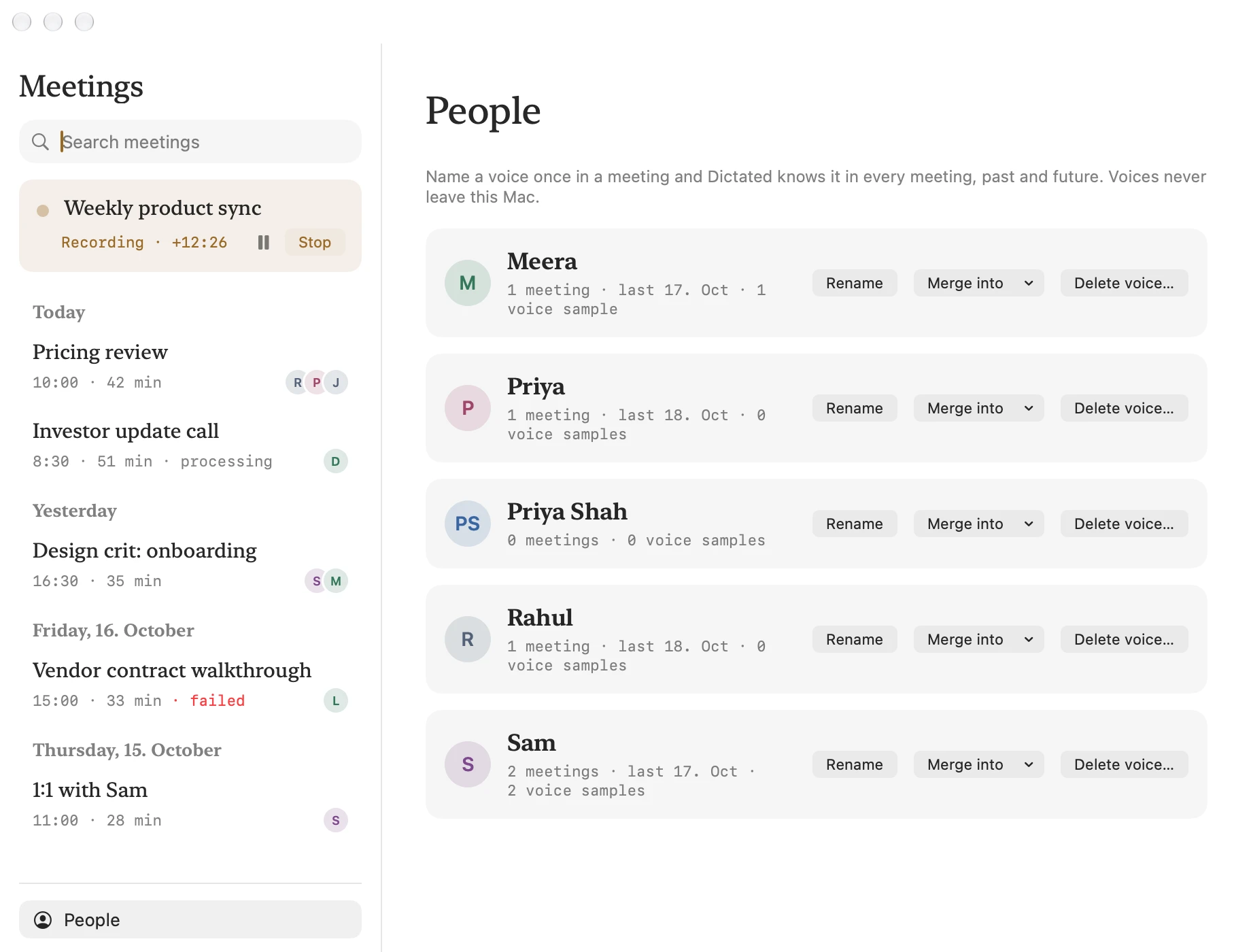
Notes
A language model on the laptop writes the notes. There are eight styles, like a summary, a stand-up, a sales call or only action items. I can write the notes again in another style. Every version is kept, so my own edits are never overwritten. The action items go into my task manager Karya.
The Ask tab answers questions about a meeting. Claude Code can also read my meetings through a small read-only connector.
Hinglish#
On many calls I switch between Hindi and English in the same sentence. In Echo this was the hardest part. The models either did not understand Hindi or wrote it in Devanagari script, which I cannot paste into an English email. In the end Echo sent Hindi to a cloud service.
Dictated does it on the Mac. When "English + Hindi" is on, it decides for each sentence, from the audio, if it is Hindi. A Hindi sentence goes to Bodhan, a model that writes Hindi in English letters and keeps English words in English. On a set of 15 Hindi test clips it got 13 right. English sentences are not affected.
How it is built#
- Audio: Core Audio records the microphone and what other apps play. No extra audio driver.
- Speech: Parakeet on Apple's Neural Engine for dictation and meetings. Bodhan for Hindi.
- Clean-up and notes: Qwen 3.5 (2B) cleans up dictation and Gemma 4 writes the notes. Both run locally with MLX. They load when needed and unload when idle.
- Speakers: pyannote separates the voices.
- Storage: SQLite with search across notes and transcripts, and a daily backup. Notes are also saved as Markdown files.
- Testing: 854 automated tests. The screens on this page are drawn by the test app from made-up data.
Status#
I use Dictated every day, for dictation and for my meetings.
I always ask for consent before I record people. Inside our company it is understood that people record meetings, so that is fine.
The meetings, people and dictations in these screenshots are made up. The app draws them from a test database, so none of my real calls are shown.